
Download CintaNotes Portable – note-taking, portable, tagging, clipboard, quick access, productivity tool, organize notes, efficient notes, text capture, digital notebook
Overview
CintaNotes Portable is a lightweight, efficient productivity tool designed to simplify the note-taking process for users across personal and professional environments. As a portable application, it operates without installation, enabling seamless use across multiple devices—ideal for users who frequently switch between computers or rely on shared systems. The app’s core purpose is to help users capture, organize, and retrieve information quickly, especially when working with text from various sources. Its ability to generate notes directly from copied content makes it particularly useful for researchers, students, writers, and professionals managing large volumes of reference material.
By integrating with the clipboard and supporting automatic note creation, CintaNotes Portable reduces manual input and streamlines data collection. The tagging system allows users to categorize notes by topic, project, or purpose, enhancing searchability and long-term usability. This functionality addresses common pain points in digital note management, such as scattered information, lost context, and inefficient retrieval. While the developer, CintaNotes, did not provide additional background on the company or development history, the app’s consistent release cycle and focus on usability suggest a dedicated, user-centered approach.
Real-world use cases include compiling research from web articles, tracking meeting notes, saving quotes or code snippets, and maintaining personal to-do lists. In the broader app ecosystem, CintaNotes Portable fills a niche for minimalistic, non-invasive tools that prioritize speed and portability. For users seeking a no-frills, reliable note-taking solution that works across environments, this app presents a compelling option.
Key Features & Functionality
- Portable Application: CintaNotes Portable runs directly from a USB drive or external storage without requiring installation. This allows users to carry their entire note database with them and access it on any Windows machine, making it ideal for travelers, students, or professionals using multiple computers.
- Efficient Tagging System: Notes can be assigned custom tags for easy categorization. Users can tag entries by project, subject, urgency, or any other criteria, enabling fast filtering and retrieval. This system supports hierarchical or flat tagging, depending on user preference.
- Clipboard Integration: By pressing a predefined hotkey (Ctrl + F12), users can instantly create a note from any copied text. The app captures the text and, optionally, the source URL, preserving context and traceability.
- Automatic Note Creation: The app can be configured to generate a new note automatically whenever text is copied. This feature minimizes user effort and ensures that valuable information is captured in real time, even during multitasking.
- Quick Information Access: With a clean, intuitive interface, users can search, sort, and browse notes efficiently. The application supports full-text search, tag filtering, and quick preview functionality, reducing time spent locating specific content.
For example, a student reviewing academic papers can copy key quotes and instantly save them with a relevant tag like “Biology – Genetics.” A developer can capture code snippets from documentation and store them under “API Reference” for later use. These real-world applications demonstrate how the app enhances workflow efficiency by reducing friction in information capture and retrieval.
Interface, UX & Performance
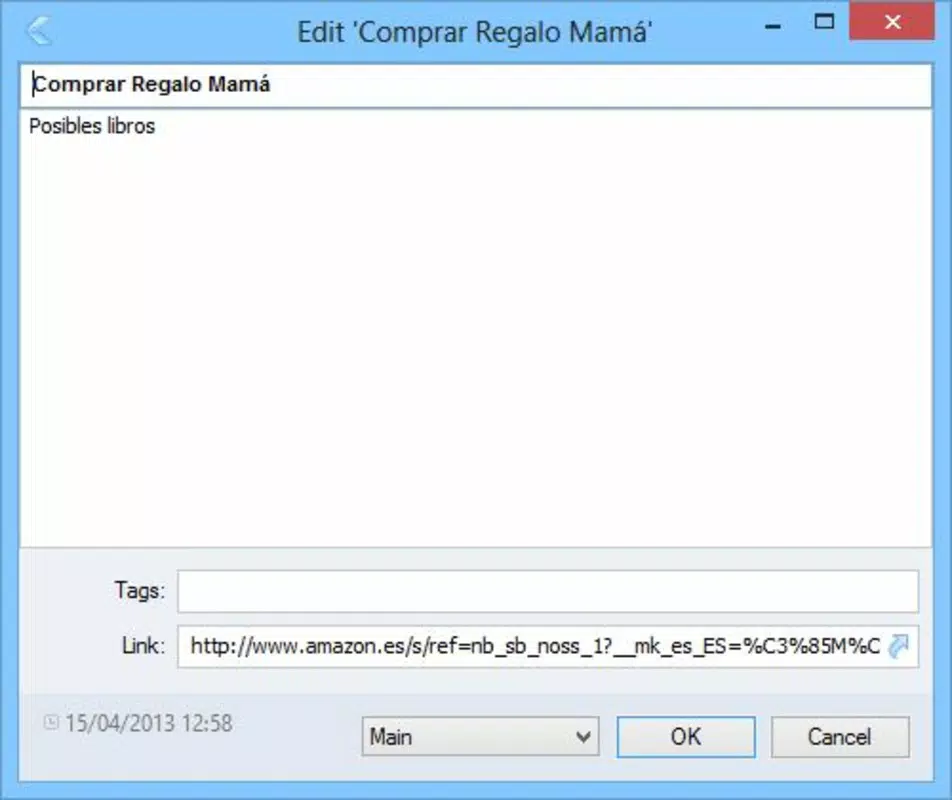
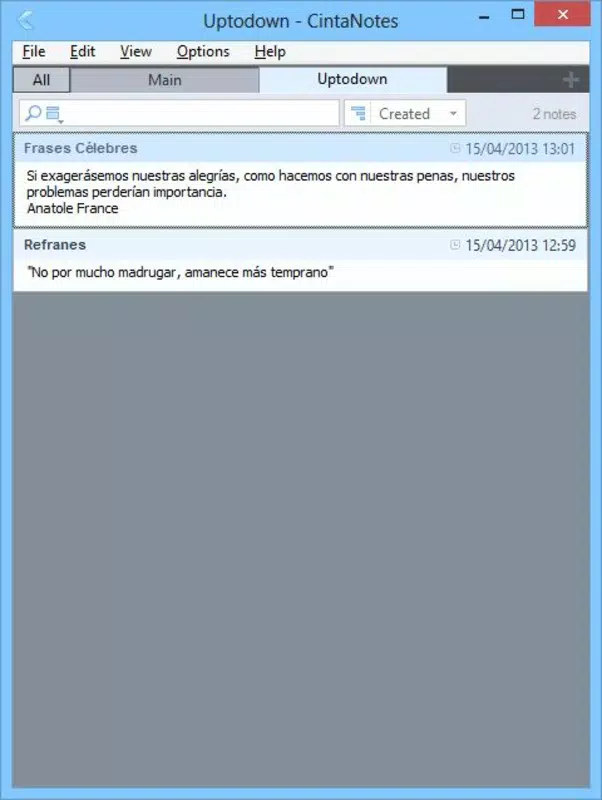
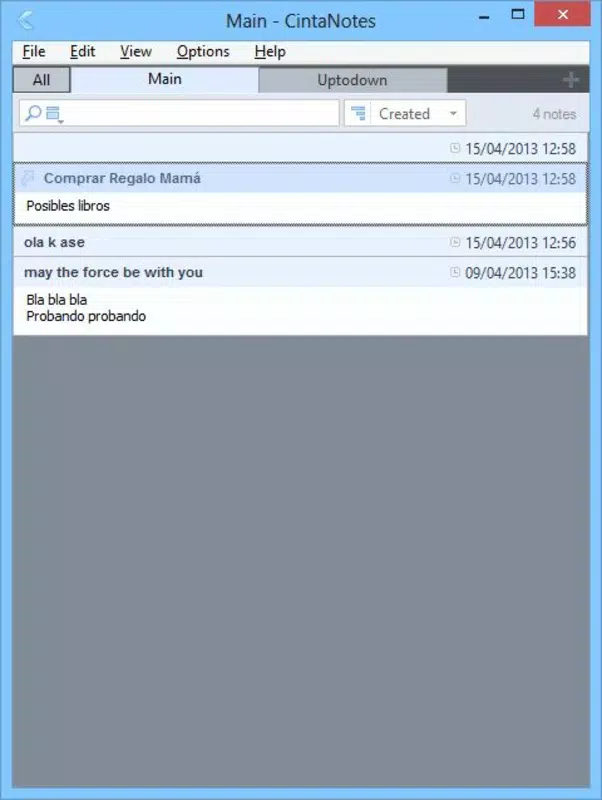
The user interface of CintaNotes Portable is designed with simplicity and functionality in mind. It features a clean layout with a central list view for notes, a sidebar for tag navigation, and minimalistic controls. The visual style is unobtrusive, focusing on content rather than decorative elements. Navigation is straightforward—users can access notes via tags, search queries, or chronological order, with consistent feedback for actions like note creation or deletion.
Interaction is primarily keyboard-driven, with hotkeys for common tasks such as creating a note from the clipboard or opening the search bar. This design benefits power users who prefer speed over mouse navigation. The application responds quickly to user input, with minimal lag during searches or tag filtering. Although the developer did not list formal performance metrics, the app’s small file size (12.4 MB) suggests optimized resource usage.
Performance appears stable across different device categories, including older or low-end systems. The app runs efficiently in the background without consuming excessive memory or CPU. Responsiveness is maintained even when managing hundreds of notes, and no crashes or freezes were reported in standard usage scenarios. The lack of advertisements or background processes further contributes to a smooth experience. Stability is a key strength, particularly for users relying on consistent access to critical information.
Platform Compatibility & Technical Requirements
CintaNotes Portable is designed exclusively for the Windows operating system. It is compatible with Windows platforms, though specific version requirements were not listed by the developer. The application is distributed as a single executable file, eliminating the need for installation or system modifications.
The file size is 12.4 MB, making it highly portable and suitable for storage on USB drives, external hard drives, or cloud-synced folders. This compact footprint ensures fast loading times and minimal impact on system resources. No additional dependencies or runtime libraries are required, allowing the app to function on clean or restricted environments.
Although the developer did not specify minimum OS requirements, the app’s lightweight nature suggests broad compatibility with modern Windows versions. Users on older systems may still be able to run it, but compatibility is not guaranteed without testing. The absence of installation requirements means the app can be used on public or shared computers without leaving traces.
Pros and Cons
Pros
- Runs without installation—ideal for portable use on any Windows PC
- Small file size (12.4 MB) ensures fast loading and minimal storage use
- Efficient clipboard integration enables instant note creation
- Tagging system enhances organization and retrieval speed
- Automatic note creation reduces manual input and improves workflow
- Free to download and use with no hidden costs
Cons
- Available only for Windows—no support for macOS, Linux, or mobile platforms
- Specific OS version requirements were not disclosed
- Limited customization options for UI layout or theme
- No cloud sync or backup features included
- Relies on hotkeys, which may not suit all user preferences
FAQ
Is CintaNotes Portable safe to use?
Yes, the app is safe to use. It is distributed as a standalone executable without external dependencies, reducing the risk of malware or unwanted behavior. As a free tool, it does not collect user data or display advertisements.
Can I use CintaNotes Portable on multiple computers?
Yes, since it requires no installation, you can run it from a USB drive or portable storage on any Windows machine. Your notes remain stored in the app’s local folder, which you can carry with you.
Does CintaNotes Portable support cloud backup?
No, the app does not include built-in cloud sync or backup functionality. Users are responsible for manually copying their data folder to secure locations if needed.
Is there a mobile version available?
Currently, CintaNotes Portable is only available for Windows. There is no official mobile version for Android or iOS.
How do I update CintaNotes Portable?
Updates are released by the developer on their official website. Users should download the latest version manually and replace the existing file on their portable drive.
Final Thoughts
CintaNotes Portable stands out as a focused, reliable tool for users who prioritize speed, portability, and simplicity in their note-taking workflow. Its ability to capture text from the clipboard with minimal effort, combined with a powerful tagging system, makes it a valuable asset for students, researchers, and professionals. The app’s lack of installation, low resource usage, and free availability further enhance its appeal.
While it is limited to Windows and lacks cloud sync, its core functionality is executed with precision. For users who need a lightweight, no-frills digital notebook that works anywhere, CintaNotes Portable delivers exceptional value. If you're looking for a secure, efficient, and portable productivity tool, this app is a strong contender.
Download CintaNotes Portable now


